ColorPicker
Description
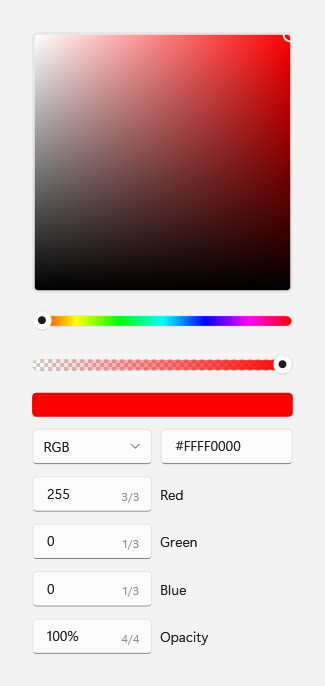
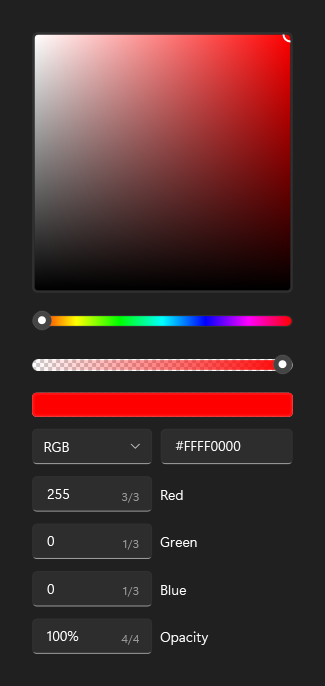
Use ColorPicker for choosing a color from a saturation/value spectrum with a hue slider, alpha, RGB/HSV channel text input, and hex input.
Example usage
- XAML
- C#
<fluence:ColorPicker Color="Red" />
var picker = new Fluence.Wpf.Controls.ColorPicker { Color = System.Windows.Media.Colors.Red };
Key properties
| Property | Default | Purpose |
|---|---|---|
Color | Red | Current color. |
PreviousColor | null | Optional previous color for comparison. |
IsAlphaEnabled | false | Enables alpha editing. |
IsColorSpectrumVisible | true | Shows the color spectrum. |
IsHexInputVisible | true | Shows the hexadecimal field. |
State and behavior
Spectrum, hue, alpha, channel, and hex input update Color and raise ColorChanged.
Additional behavior
ColorPicker's Hex field omits the character counter while retaining its RGB/ARGB input-length limit. Its RGB, HSV, and alpha fields keep their existing counters.
Events
ColorChanged reports a change to the selected color.
Related
See text input focus and selection for the shared WPF editor behavior.